The setup
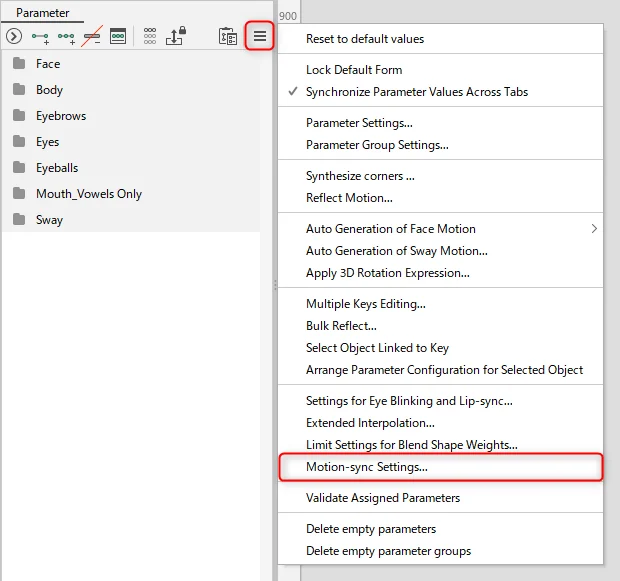
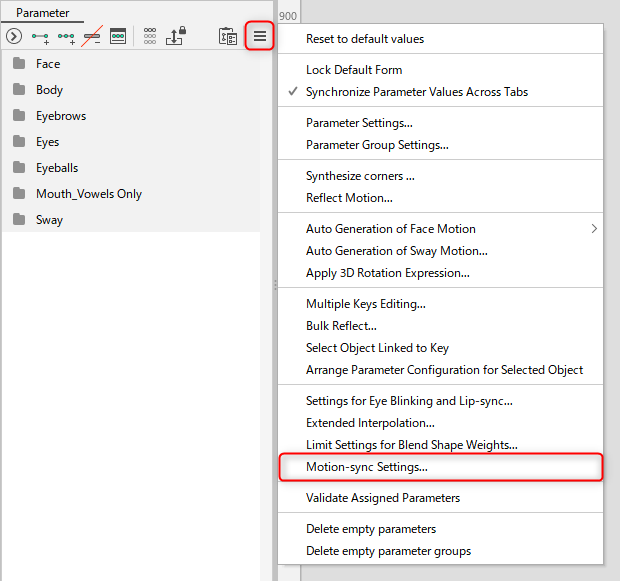
Motion Sync is Live2D's own real-time lip-sync feature, separate from the Cubism Editor's manual animation tools, built for a model's mouth to react to a live microphone rather than a pre-drawn mouth animation. The mechanism is documented in the Cubism Editor manual's Motion-sync page, retrieved 16 September 2026, while the runtime side is documented on Live2D's Live2D Cubism SDK page and its MotionSync Plugin download page; all three are living documents rather than dated releases.
What the documents show
The Editor manual states that Motion-sync converts audio into a time series of visemes and generates mouth motion by blending predefined shapes, using a method it calls Lip-sync (CRI LipSync), stated to work on all platforms, detecting six elements: silence and the vowel visemes A, I, U, E and O. It documents tunable settings, a sample rate from gentle to intense, a blending ratio from brisk to smooth, and a smoothing value reducing vibration, plus a per-viseme scale and threshold. It documents two setup presets, Basic, using two parameters for mouth deformation and open and close, and Vowels only (blend shape), one parameter per viseme. Exported settings are saved as a .motionsync3.json file. The SDK page states a separate MotionSync Plugin applies those settings at runtime for Unity, Native and Web, and the download page confirms current availability under Live2D's licence agreements.
The craft
Setting Motion Sync up is rigging work done before a single stream starts: a model needs its mouth-shape parameters defined and one of the two documented presets chosen, then the sample rate, blending and smoothing values tuned against test audio until the mouth neither lags behind speech nor flickers between shapes. Because the settings are exported as their own file and applied by a separate runtime plugin, a rigger can hand a tuned Motion Sync configuration to a performer without either side touching the Cubism Editor again during a show.
Keeping the creator in control
Because Motion Sync's mouth shapes come from the rigger's own predefined blends rather than a fixed algorithm, a creator retains direct control over what their character's mouth looks like at each viseme, unlike a system that infers shapes without any rigger input. This is an editorial point beyond the documentation itself: testing the Basic and Vowels-only presets against a performer's actual speaking voice, not just a demo line, is a reasonable extra step before relying on it live, since the manual only documents the settings, not a guarantee of fit for every voice.
- Have you chosen the Basic or Vowels-only preset deliberately, based on what your model can support?
- Are your sample rate and smoothing settings tuned against your own voice, not left on a default?
- Does your SDK platform, Unity, Native or Web, actually support the MotionSync Plugin you plan to use?
Motion Sync's documentation describes a rigging step with exported, reusable settings, not a live effect a performer configures on the fly, and treating it that way is what makes real-time lip sync reliable on stream.
Sources & reading trail
States the viseme-based mechanism converting audio into mouth shapes, the sample-rate, blending and smoothing settings, and the two setup presets.
Source published: Not established · Retrieved: 16 September 2026
States that a separate MotionSync Plugin applies exported motion-sync settings at runtime and lists which SDKs support it.
Source published: Not established · Retrieved: 16 September 2026
Confirms the plugin's current availability for Unity, Native and Web SDKs under Live2D's licence agreements.
Source published: Not established · Retrieved: 16 September 2026
Documentation, agency filings and platform records establish the entry; the craft reading is VTubing editorial analysis. This retrospective draft does not imply the site published on the event date.