The setup
VTube Studio tracks a performer's face through a webcam or a phone, and its own wiki, retrieved 16 September 2026, documents calibration as the step that lines up a person's neutral face with a model's rest pose before a session starts. The relevant living-document pages are Getting Started and FAQ, both maintained by the app's developer rather than dated as a single release.
What the documents show
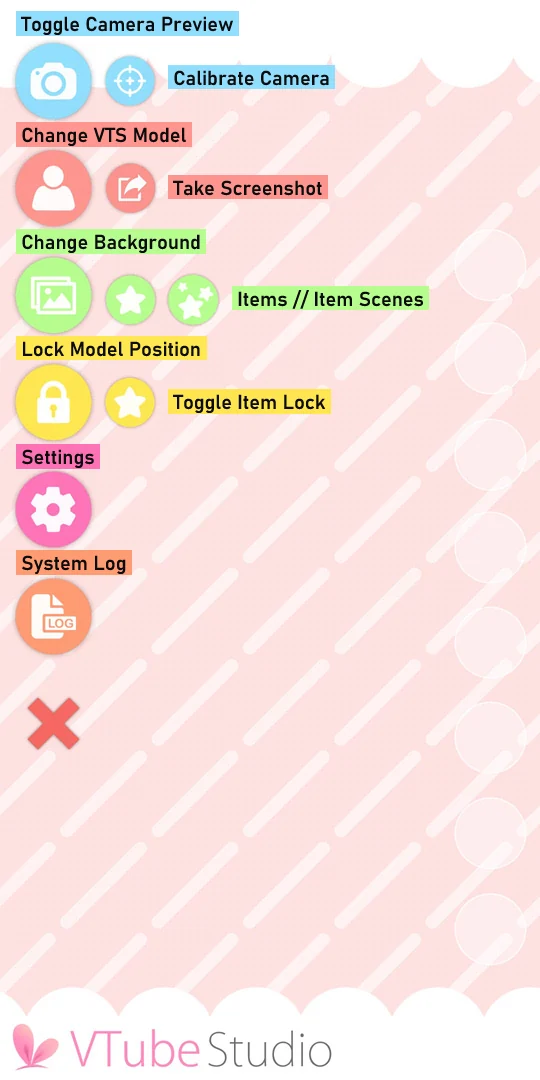
The Getting Started page states the calibration path directly: on a webcam setup, go to Settings, then the Webcam, Tracking, Video and Visual Settings tab, turn the camera on and press Calibrate; on a phone, press the Calibrate Camera button or tap the camera preview window. It instructs a performer to keep their face at a normal distance from the camera with a neutral expression during calibration, and notes this matters especially for Android and webcam tracking, since iOS calibration mainly resets facing direction. The FAQ page documents separate causes of erratic tracking after calibration: bad or coloured lighting, a phone case containing magnets, a phone resting against a monitor, a wireless charger, and a mirror visible in the camera's view are each named as a documented source of tracking problems distinct from calibration itself.
The craft
A performer setting up for a session runs calibration once per lighting setup, not once ever, because the FAQ's own list of interference sources, lighting included, means a change of room or a new light can undo a previously good calibration without the software reporting an error. Pairing calibration with the model-parameter Auto-Setup documented on the VTS Model Settings page, which maps default Live2D parameter names automatically, is the documented order: set the model up first, then calibrate the camera against it, rather than the reverse.
Keeping the creator in control
Because the documentation separates calibration from troubleshooting, a performer can rule out a documented list of interference causes, lighting, magnets, mirrors, before assuming a webcam or phone is faulty, which keeps a creator in control of diagnosing their own setup instead of guessing. This is an editorial point beyond the wiki itself: keeping a short personal checklist based on this documented list saves time before every stream that changes location or lighting.
- Have you recalibrated since your last change of room, lighting or camera position?
- If tracking looks wrong, have you checked the documented list of interference causes first?
- Did you run Auto-Setup before calibrating, in the documented order?
Calibration in VTube Studio's own documentation is a short, repeatable step with a named list of things that can undo it, which turns a vague sense that tracking looks off into a specific, checkable process.
Sources & reading trail
States the calibration path (Settings, Webcam Tracking Video and Visual Settings, Camera ON, Calibrate) and the instruction to keep a normal camera distance with a neutral expression.
Source published: Not established · Retrieved: 16 September 2026
States that bad or coloured lighting, magnetic interference and mirrors in view are documented causes of erratic tracking.
Source published: Not established · Retrieved: 16 September 2026
Documents the Auto-Setup function that maps default Live2D parameter names before manual calibration and tuning begins.
Source published: Not established · Retrieved: 16 September 2026
Documentation, agency filings and platform records establish the entry; the craft reading is VTubing editorial analysis. This retrospective draft does not imply the site published on the event date.